» Print Literature, Flyers, Brochures » Promotional Items / Printers » Labs (Water/Dust Tests, etc.)
All Resources (alphabetical) » Earth Monitoring & Information » Meteor and Fireball Tracking » Government & Industry Documents » Weather Control & Manipulation » Labs (Water/Dust Tests, etc.) » Print Literature, Flyers, Brochures » Personal Education & Research » Promotional Items / Printers » Zip/Postal Codes, Area Codes
|
DVDs About Chemtrails/Geoengineering On this page, we provide DVDs in the form of ISOs (and other formats). ISO files can be downloaded and burned directly to a DVD on any modern DVD burner. The DVDs on this page can be used to educate the public and to raise awareness about chemtrails/geoengineering. If you have a DVD you would like to see included here, please contact us. Would you like to burn your own ISOs? Here is a free tool that makes it easy to create ISOs, and to copy DVDs on all Windows operating systems: BurnAware Free Edition On This Page
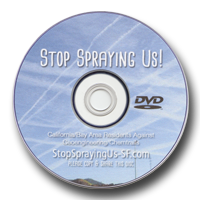
Stop Spraying Us
PurposeThis DVD is specifically for people who know nothing about geoengineering. This DVD is designed to be handed out to the public. Consider going door-to-door and giving free copies to your neighbors, or hand out copies during public events. Thanks to Patrick Roddie and San Francisco Skywatch for providing this valuable resource. ContentsFollowing is the contents of this DVD.
DownloadsDVD ISO File - This is the "ISO Image" file that you will use to recreate the original DVD.
DVD Label Artwork - Print this artwork to a DVD label and stick the label to the DVD. If you have a CD/DVD printer, you can print this artwork directly to the surface of the DVD. DVD Sleeve Message - This is a great message to place on the outside of the DVD sleeve so people know exactly what the DVD is about. |